What if you could…
What if your developers could test a new payroll feature on data that looks and behaves like production, without a full copy of everyone’s salary sitting on a dev server? Right now we make a trade-off every time we prepare an environment. Either we test on a handful of fake records someone typed in years ago (you know the ones, “Test Test” with a salary of exactly 1000), or we restore a production backup to UAT and quietly hope nobody asks about it.
Neither option is good. The fake data misses the bugs that only show up with real volumes and messy real records, like the employee with three contracts, two surnames and a missing end date. And the production copy… well, it means that anyone with access to the test database can see what their manager earns. Or what the CFO earns. That’s not a hypothetical risk, it’s just how it works today.
What if refreshing UAT didn’t mean a DBA spending days writing UPDATE scripts by hand, one set per microservice, and still forgetting the notes column where someone once typed a colleague’s home address?
What if anonymization was a few clicks, saved as a profile, and repeatable every single time?
So that…
So that we stop choosing between realistic testing and staying compliant. GDPR, and our local data protection rules, don’t really care that it’s “just the test environment”. Personal data is personal data, and a leaked dev database is still a leak. Maybe even a worse one, because test environments usually have weaker access control than production.
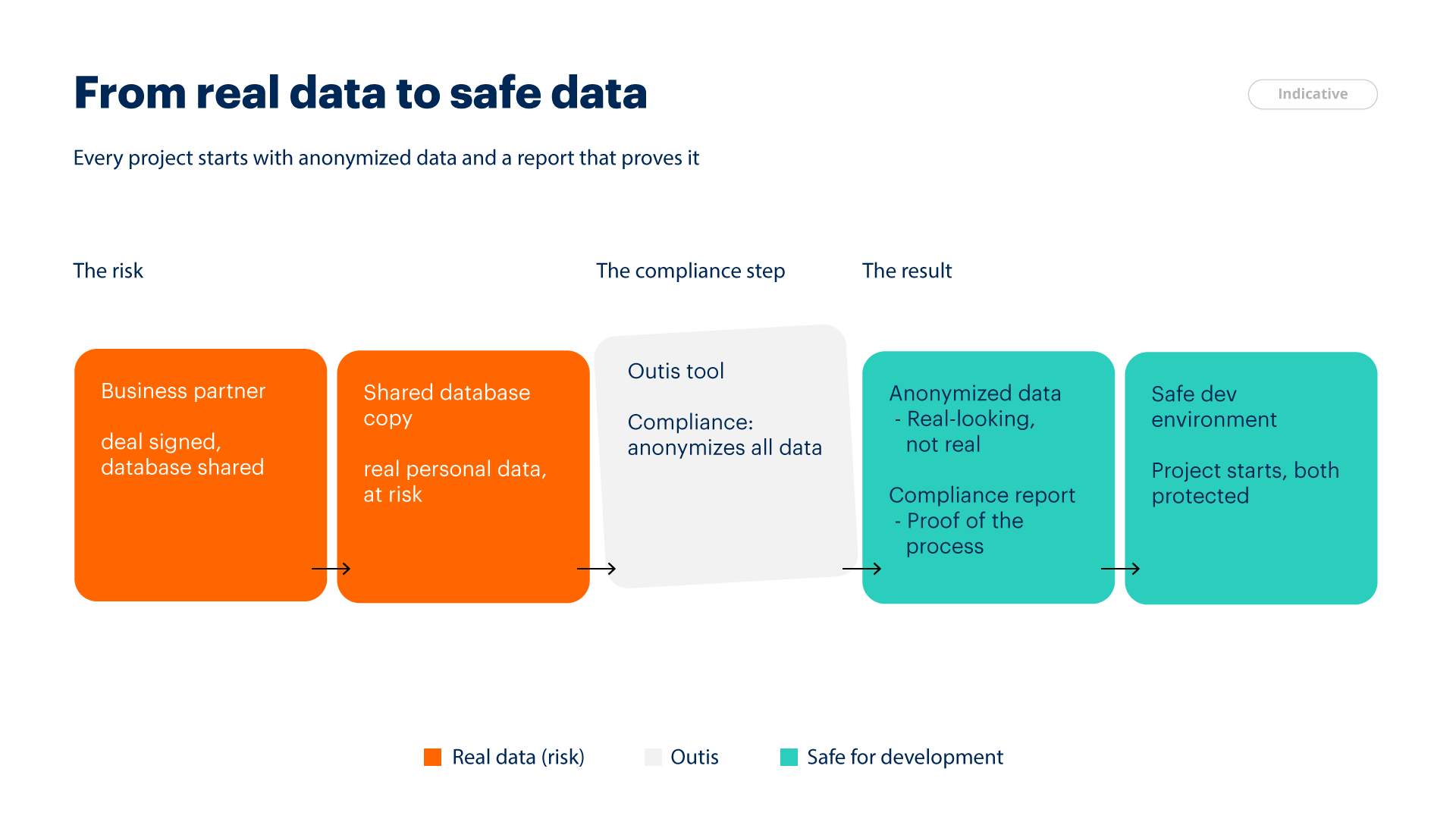
Right now one environment refresh goes roughly like this. Someone restores the backup. Someone finds the old masking scripts. Then we discover a few new tables that didn’t exist last time, fix the scripts, run them again. Integration tests fail because the HR service and the Payroll service now have different names for the same employee, so we fix that too. I haven’t measured it exactly, but my honest guess is three to five days of work per refresh. And because it’s painful, we do it rarely, so test data gets old and bugs slip through to production.
With Outis, the rules live in a saved profile. A refresh becomes: restore, open the profile, run, check the report. The masking is deterministic, which means employee 1043 gets the same fake name in every microservice, so cross-service tests keep working. And there’s a bit of AI where it actually helps. Outis scans the schema and sample values and suggests which columns look like personal data, so a new column added last sprint doesn’t slip through unnoticed.
It also scales with us. More services, more tables, more countries? The profile grows, but the process stays the same.
For example…
Say Milica is a QA engineer preparing UAT for a new release of the leave management service. Last time this took her almost a week. Actually, closer to two, because the DBA who knew the scripts was on vacation.
This time she restores last night’s backup, opens Outis and connects to the UAT copy. Outis scans 214 tables. It already has the profile from last month, but it flags three new columns: Worker.PrivateEmail, EmergencyContact.Phone and a free-text field, LeaveRequest.Reason. The message is simple: “These look like personal data and have no rule yet.”
She clicks on LeaveRequest.Reason and looks at a few sample values. One says “medical appointment for my son Luka”. So it’s not just a reason, it’s health information and a child’s name in one sentence. She would never have caught that by reading the schema. She sets the column to “replace with generic text” and moves on.
Country, Department and JobTitle are marked Keep, same as before. Nothing to do there. Salary has the rule “±12% within the pay grade”, so payroll calculations still make sense. Then she clicks Preview and sees 20 rows before and after. Marko Jovanović becomes Dejan Kovačević. His JMBG changes too, but it’s still valid and matches his new birth date. His email now follows the new name, and a salary of 2,340 becomes 2,512.
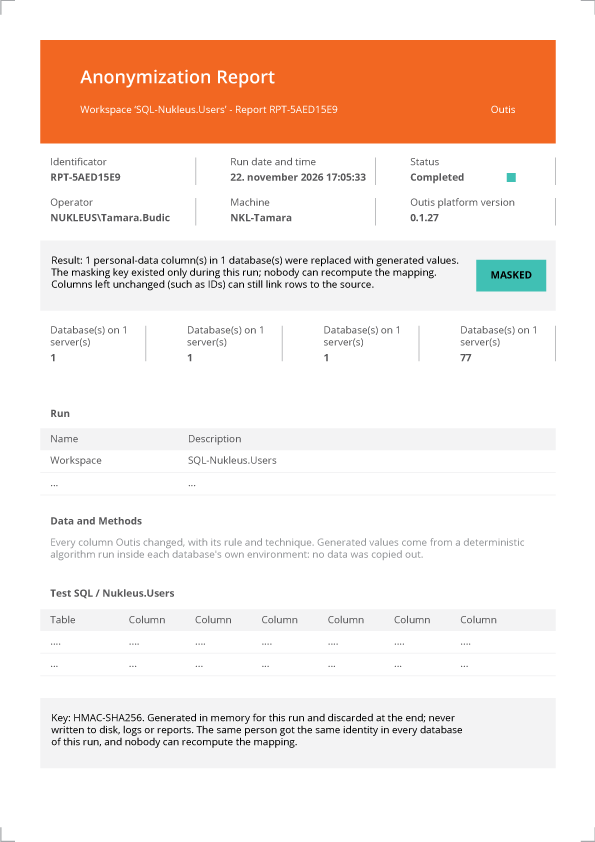
She runs it. About forty minutes later it’s done, and she has a PDF report listing every table and column that changed, with the rule used.
The next morning, Boris is debugging a leave balance calculation. He uses data that looks completely real, with real volumes and real edge cases, and there isn’t a single real person in it. Before, he either worked with ten fake rows or with data he probably shouldn’t have seen.
And the next refresh is even easier, because the three new columns are now part of the profile. Every run makes the profile a bit more complete.
And that’s not all…
The compliance side gets much simpler. When an auditor asks how we protect personal data in non-production environments, we don’t explain it from memory. We show the report from every run: which columns were changed, with which rule, when, and by whom. That’s a very different conversation from “we have some scripts somewhere”.
The security team gets fewer places where real personal data lives. Every test server without real salaries is one less thing to worry about. And developers can share a bug reproduction with an external vendor, or use realistic data in a demo, without asking for special approval each time. I think most of us have seen at least one demo where a “test” employee on screen turned out to be a real colleague sitting in the room. That gets awkward fast.
For leadership, it lowers a risk that is easy to ignore until something goes wrong. And once the foundation is there, the same engine can run inside the CI/CD pipeline, or be used for other systems, like Finance or CRM, not only HR.
But still, I want to be honest about the limits. Outis doesn’t make data magically anonymous. Someone still has to review the rules, and rare combinations can still point to a real person, for example the only female engineer in a small office. The AI suggestions are suggestions, not decisions, so a person always confirms them. And the first setup for each database takes real time. However, that’s a one-time cost, and every refresh after that gets cheaper.
Maybe the best part is this: people start thinking about personal data differently. After a few runs, developers notice a sensitive column before Outis flags it. That habit is worth a lot, maybe even more than the tool itself.
Why the name Outis?
In the Odyssey, Odysseus and his men get trapped in a cave by the Cyclops Polyphemus. When the giant asks for his name, Odysseus says “Outis”, which means “Nobody”. Later, blinded and in pain, the Cyclops shouts to the others that Nobody is hurting him. And of course, nobody comes to help. I like this story because it describes pretty well what we want from our test data. The people in our HR databases are still there, they still work, get paid and take vacations, but nobody can tell who they are anymore. That’s the goal of Outis: a desktop app that connects to a copy of a production database, lets you pick which tables and columns hold personal data, and replaces real names, IDs and salaries with realistic fake ones. Master data like countries stays as it is, relationships between tables keep working, and our dev, test and UAT environments finally get data that behaves like the real thing, without anyone in it being real.

User Guide
See how Outis works in the user guide before you download it.
Download Outis
Outis runs on Windows 64-bit. The installer sets it up for the current user, with no admin rights needed, and the app keeps itself up to date after that.
Portable version: unzip it and run Outis directly, without installing.
First run: Windows SmartScreen warning
This release is signed with a development certificate, so the first time you start it Windows may show “Windows protected your PC”. Click More info, then Run anyway. This only happens on the first run.
For technical users: install with PowerShell
Run this in PowerShell. The script downloads Outis and checks the file against its checksum before installing:
irm https://outis.nukleus.ba/install.ps1 | iex
Linux
Outis runs on Linux (x64, arm64). To install it without Docker, run:
curl -fsSL https://outis.nukleus.ba/install.sh | shDocker
Platforms: linux/amd64, linux/arm64.
Quick start
docker run --rm tihoroot/outis --helpThe image runs as a non-root user (UID 1654) and has no shell.
License
Outis is free to use, including commercially, under the Outis license agreement. It is not open source. To read the agreement, run docker run --rm tihoroot/outis license. For the third-party licenses, add --third-party.
Run Outis only against copies of data that you are allowed to change, and keep a backup.